

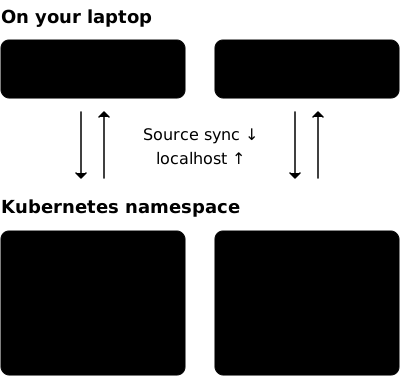
Your Compose stack.
Every worktree.
macOS & Linux Your existing Compose files No local Docker daemon needed
Keep the workflow.
Separate the stacks.
Another branch shouldn’t mean another stack competing for your laptop’s memory, or a shared database that someone else’s tests can change.
How Podgrove works- Compose stays Compose
- Keep services, networks, volumes and healthchecks in your Compose files. Add
podgrove.ymlfor the cluster target and runtime settings. - Each worktree gets its own engine
- Separate Docker networks and persistent storage, even when worktrees share one Kubernetes namespace. Set CPU, memory and storage per worktree.
- Your development loop stays local
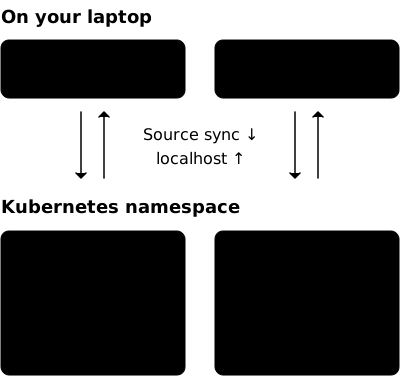
- Edit source on your machine and use forwarded
localhostendpoints. A background session manages source sync and connections.
Start with your Compose files
Use an approved development cluster and an existing namespace. An administrator prepares access, storage, networking and admission for the privileged engine.
Install Podgrove
Install a verified release into a versioned environment. The guide covers the required CLI tools and upgrades. Homebrew is not available yet.
Prepare your worktree
Keep the original Compose files. Set the explicit context, namespace and storage class in
podgrove.yml, then generate the administrator’s bootstrap manifests.Start and verify
After access is ready, validate the project, start the stack, and run your own tests against its local endpoints. Check that a source edit reaches the running service.
From the application worktree
With PODGROVE_BIN set by the installation guide and namespace setup complete:
"$PODGROVE_BIN" validate"$PODGROVE_BIN" doctor"$PODGROVE_BIN" up"$PODGROVE_BIN" webFind your next step
Practical guides for developers, agents and the platform team.
- Configure a worktree
- Resources, persistent storage, namespace modes and optional node placement.
- Open the dashboard
- A read-only view of services, endpoints, storage, configuration and live logs.
- Connect services
- Declare access to a local TCP service or a service in another worktree.
- Prepare namespace access
- Review and apply the generated manifests with the platform owner.